Ability to trigger tenant linking from within Quote flow
Moderate Upgrade
This release introduces a process for triggering the Reseller Relationship Request process - or 'Tenant Linking' from a source Microsoft CSP partners to the AppDirect Marketplace from the quote/opportunity flow.
Key benefits
- Previously, linking a Company to a Microsoft Tenant required navigating to Company Details > Vendor Information > Connect Tenant. This update brings that capability directly into quote/opportunities, reducing context switching and ensuring tenant association is completed before a quote is finalized.
- The new automated and transparent UI flows replace the need for marketplace managers to manage tenant transfers directly with customers, improving efficiency and speeding up the process.
- The simplified, guided flow minimizes errors and delays, and is available via Assisted Sales and Marketplace Manager roles.
UI updates
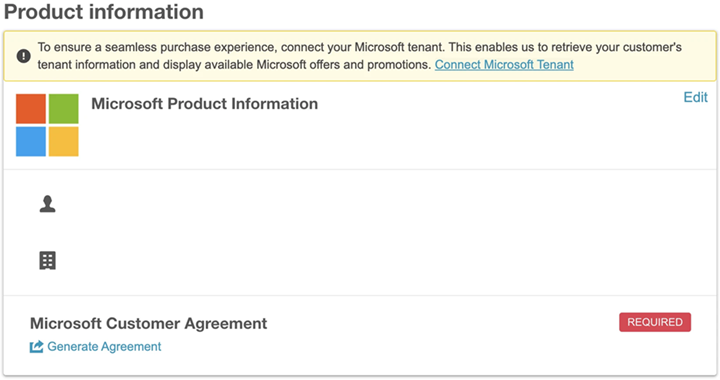
The new flows and labels guide marketplace managers and customers through the transfer process. A "Connect Microsoft Tenant" banner appears in the quotes flow when no tenant is linked. Marketplace managers enter the customer's Microsoft domain, submit the linking request, and see real-time status updates within the quote.
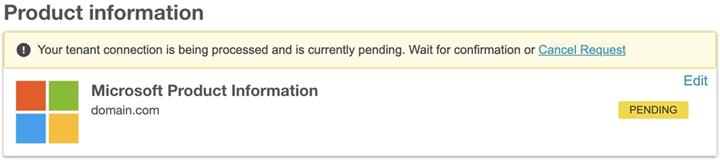
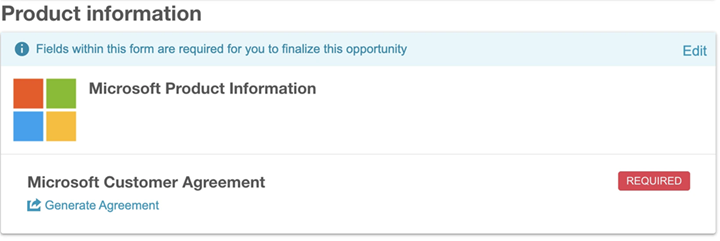
The UI now displays the following distinct states for Microsoft tenant linking:
-
Pending - When the tenant linking is initiated but is pending completion.
-
Not initiated/canceled - When Tenant Linking is not initiated or if it is canceled.
-
Complete - When Tenant Linking is complete.
📝 Note: For the tenant linking to be avavilable, the Microsoft Tenant Porting setting must be enabled.
Feature enablement
This feature is enabled by default.
Setting enablement
Pre-requisite: Marketplace Manager permission is required.
The following setting is required:
| Setting | Location | Purpose |
|---|---|---|
| Enable Microsoft Tenant Linking on Assisted Sales Quotes | Marketplace Manager > Assisted sales > Opportunities | Exposes the tenant linking flow within quotes |
Documentation
Refer to the following:
Was this page helpful?
Tell us more…
Help us improve our content. Responses are anonymous.
Thanks
We appreciate your feedback!